
How to export audio
You can export your recordings from Echo as standard audio files (MP3), which you can save or share outside the app.
Export a recording
To export a recording:
Open the note you want to export
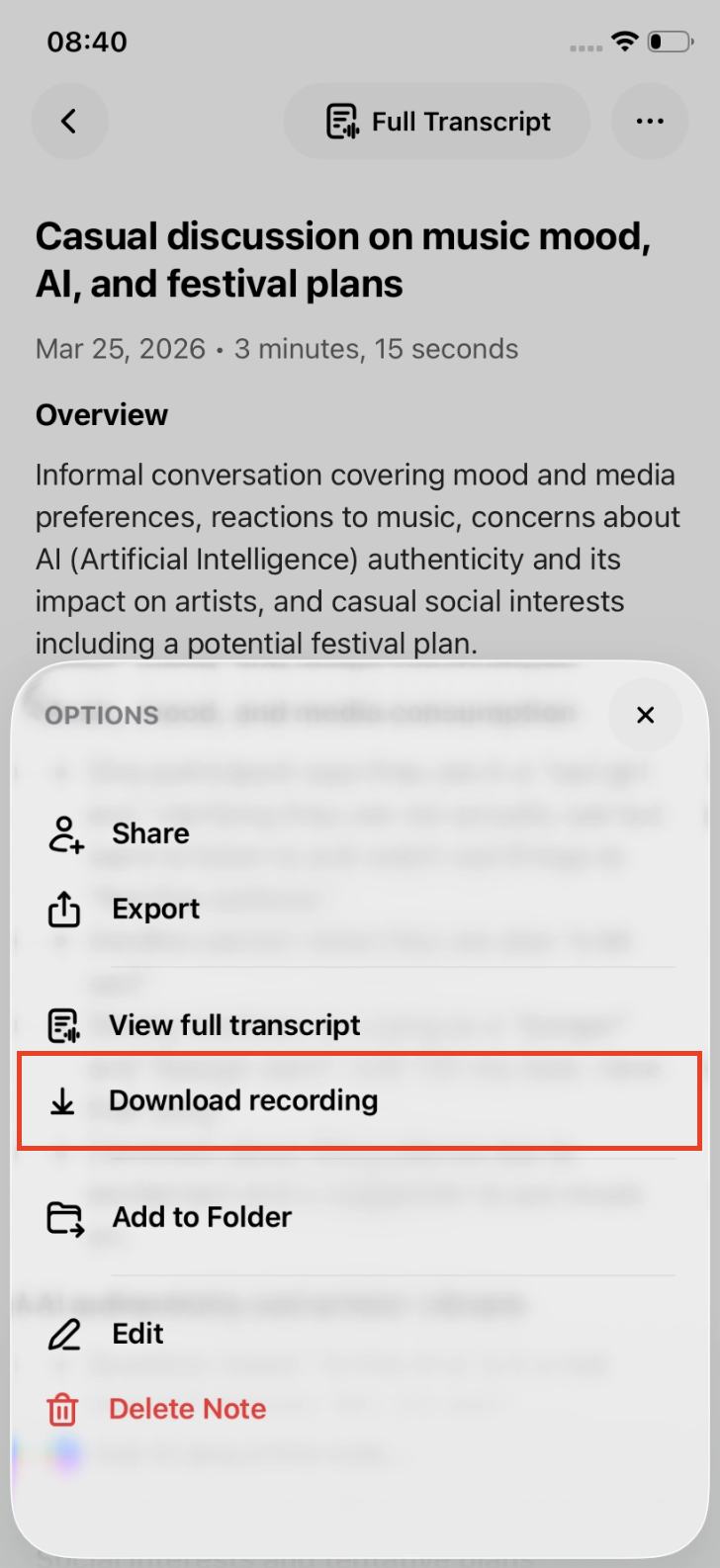
Tap the three dots (•••) in the top right corner
Select Download Recording
Choose how you want to save or share the file
Where the file goes
After selecting Download Recording, your device’s share menu will open.
From there, you can save the file to your device, send it via email, messaging apps, or share it through options like AirDrop.
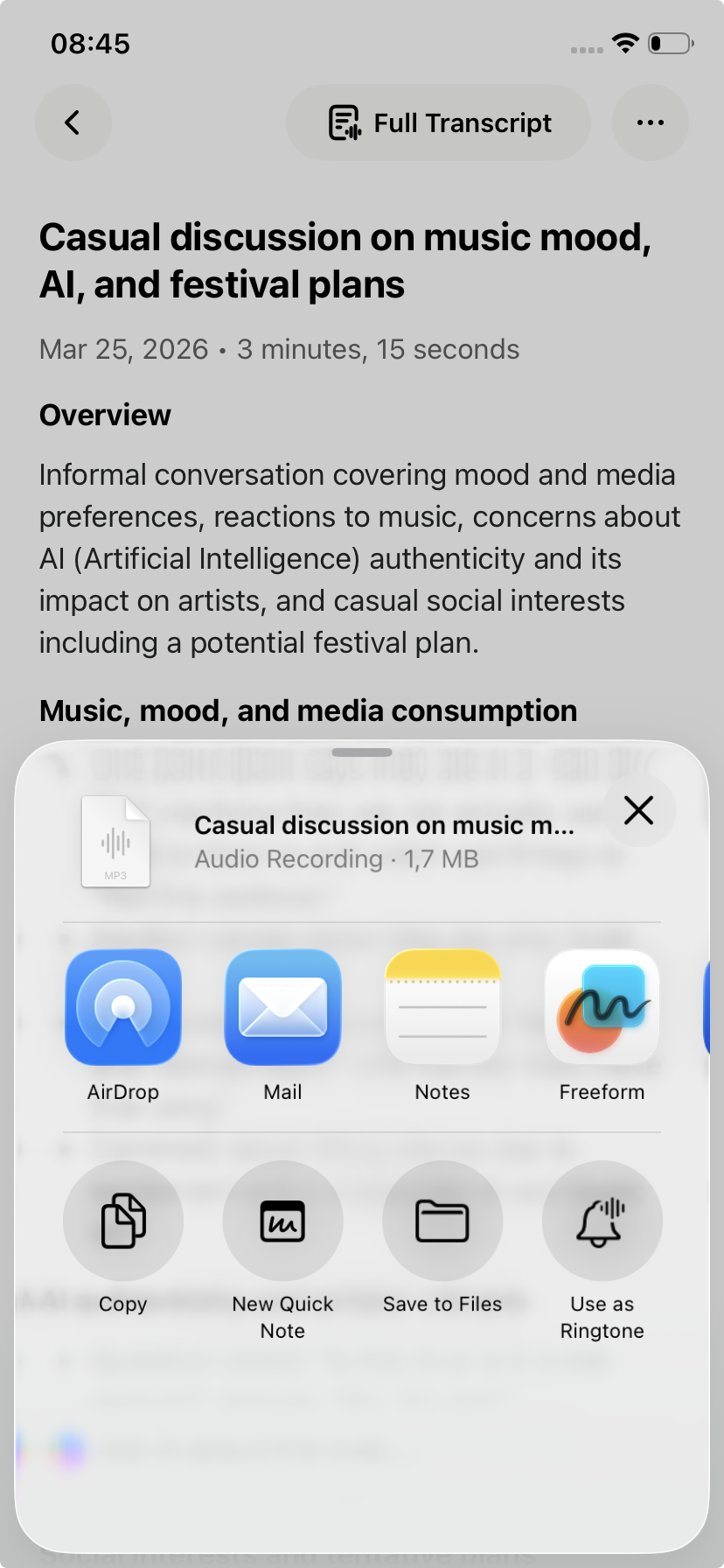
The audio is already prepared as an MP3 file — you just need to choose where to save it.
Important to know
Audio can only be exported once the note has been fully processed.
Make sure the note shows a transcript and is not in a status like Uploading or Creating.
If you don’t see the export option:
Make sure the note has finished processing
Check that you are opening the correct menu (••• in the note)