
Switching devices: how to keep my notes?
If you’re changing devices (for example, getting a new phone), it’s important to make sure your notes are properly linked to your account.
Otherwise, they may not appear on your new device.
Before switching devices
Before moving to a new device, make sure:
You are signed in to Echo
Your notes are visible in the app
You remember your sign-in method (Apple, Google, or Microsoft)
Only notes linked to your account will be available on a new device.
On your new device
To access your notes:
Download and open Echo
Sign in using the same method and account as before
Your notes should appear automatically.
Important: notes do not transfer automatically
Notes are not transferred through your device (for example via iCloud backup or phone transfer).
They are linked to your Echo account.
This means:
If you don’t sign in, your notes will not appear
If you sign in with a different method, you will see a different account
If you used Echo without being signed in
If you created notes without being signed in:
• They were stored in an anonymous account created automatically on that device
• That anonymous account is real, but you do not have access to its credentials
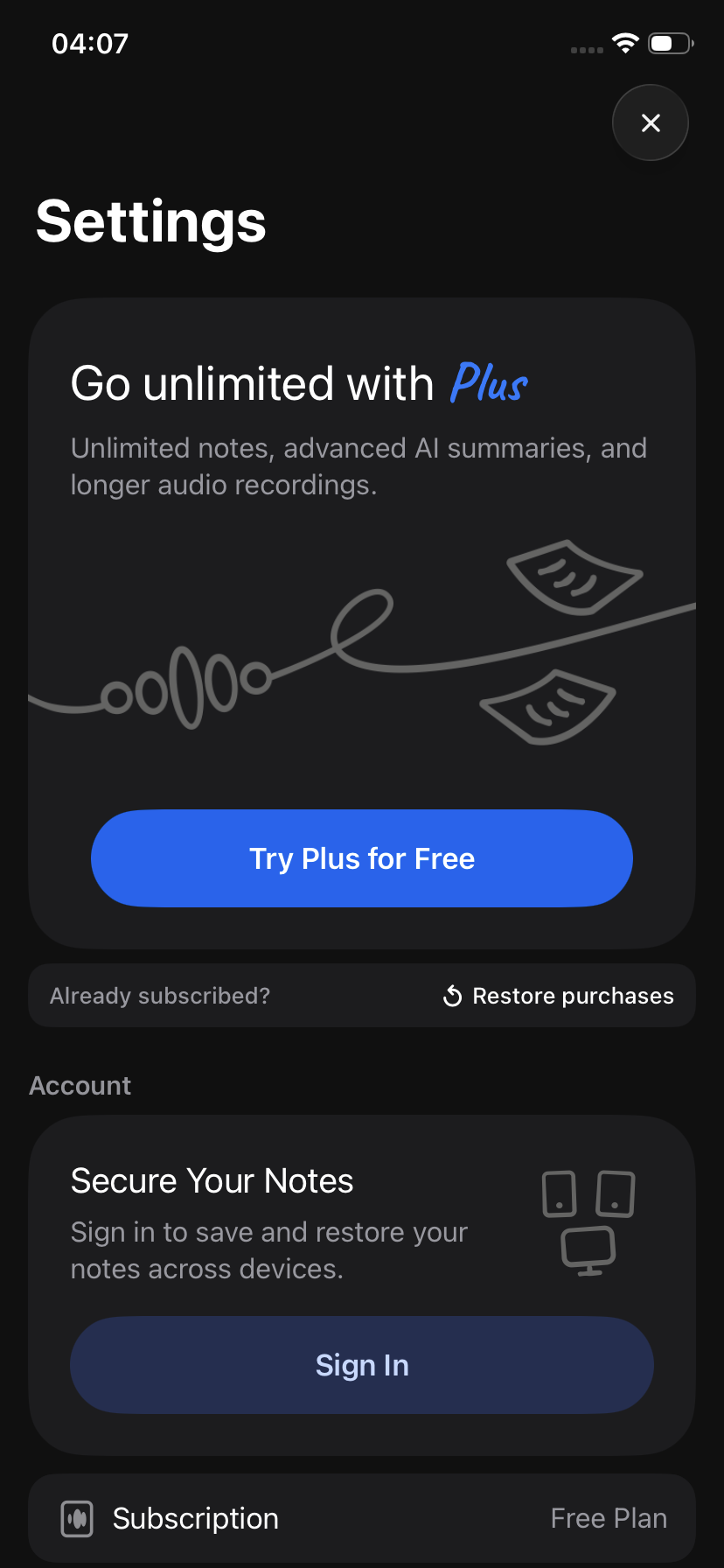
To keep access to them, you must first link them to a new account on the original device before switching devices.
If the app logs out of the anonymous account, if you switch devices, or if you sign into another existing account before doing this, those notes may no longer be accessible.
Important: if your notes are still on your old device
If you still have access to your old device and your notes are visible:
Case 1: Your notes are already linked to an account
If you are already signed in:
• Make sure you remember your sign-in method and credentials
• Simply log into the same account on your new device
👉 Your notes will appear automatically once you’re signed in.
Case 2: Your notes were created without being signed in
If you are not signed in and your notes are only on that device:
👉 Do not sign into an existing account yet
Instead:
Go to Echo → Settings
Create a new account
This will link your notes to that account
Once this is done, you can safely sign in to the same account on your new device and access your notes.
If your notes are already missing
If you have already switched devices or signed into another account:
Try signing back into the original account (if known)
If the notes were stored without an account, they may not be recoverable
Best practices
To avoid losing notes when switching devices:
Always create an account before switching devices
Always stay signed in when using Echo
Use the same sign-in method consistently